
How to Integrate AI in Software Development
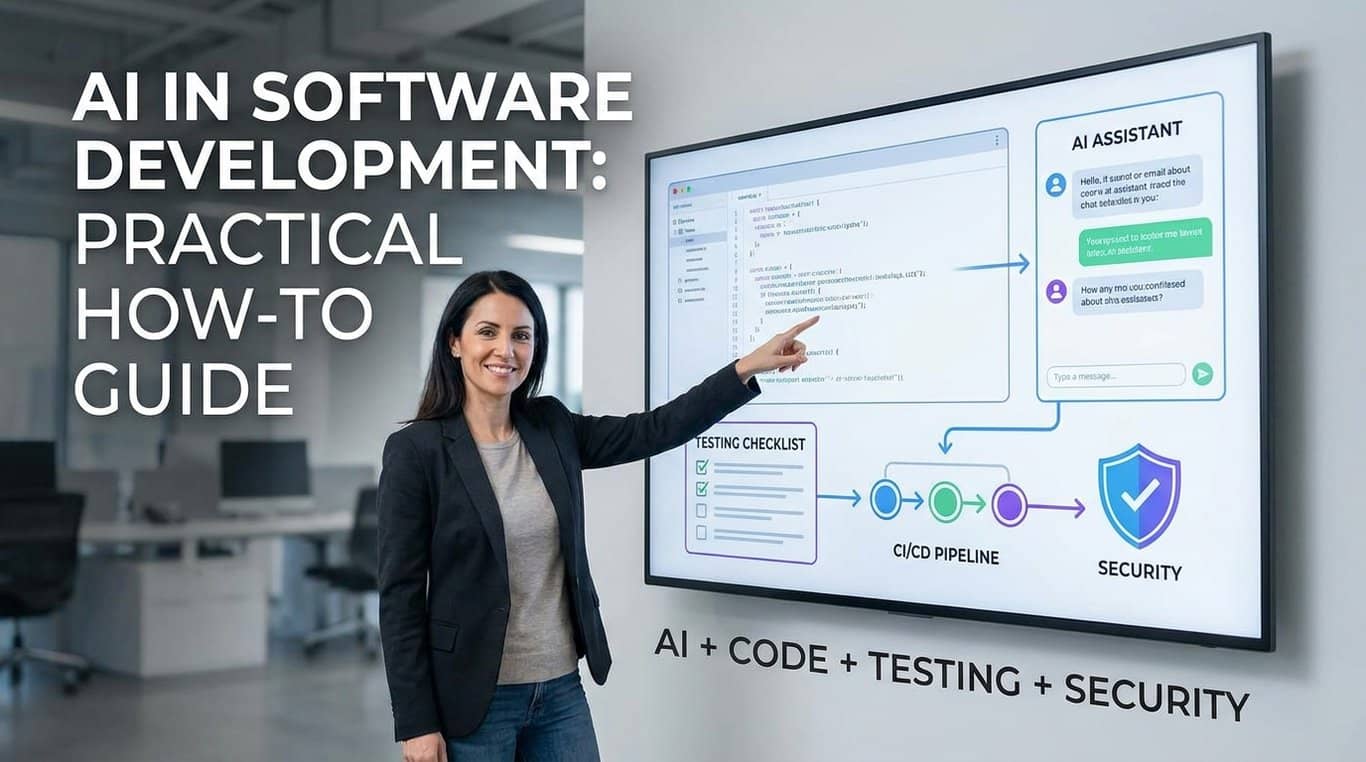
A developer opens a pull request after using an AI coding assistant for a “small refactor.” The code looks clean, the tests pass locally, and the feature ships quickly. Two weeks later, production logs show a subtle authorization bug because the generated helper reused a pattern from an older file that did not apply to the new endpoint. That is the practical reality of AI in software development in 2026: it can remove friction, but it does not remove engineering responsibility.
Table of Contents
What AI in software development really means in 2026
Where AI in software development actually helps
AI-assisted coding without losing engineering judgment
How to build an AI in software development workflow that teams can trust
Choosing AI software development tools
Security, privacy, and code quality for AI in software development
AI-powered testing and quality assurance
AI for DevOps and production operations
What I’ve learned from real usage
Things blogs don’t usually mention
Who should NOT use this
A practical rollout plan for startups and enterprise teams
Frequently asked questions (FAQ)
Final thoughts
What AI in software development really means in 2026
AI in software development is not one single thing. It covers autocomplete, chat-based code explanation, repository-aware agents, test generation, documentation drafting, code review support, incident triage, dependency analysis, and workflow automation around tickets, pull requests, and deployment pipelines.
The biggest shift is from simple code completion to agentic development. Earlier AI coding assistants mostly suggested the next line or function. Modern tools can inspect multiple files, propose diffs, run commands, summarize errors, and work through small tasks across a codebase. GitHub Copilot documentation describes assistance across coding and review workflows, including code suggestions and AI-assisted code review. Claude Code is positioned as an agentic coding system that can read a codebase, make changes across files, run tests, and deliver committed code. OpenAI’s Codex is described as a coding agent for building and shipping with AI, while Gemini Code Assist supports development across build, deploy, and operations workflows.
That sounds powerful, but the practical interpretation is simpler: AI can speed up parts of the software development life cycle, especially when the task has a clear target and enough surrounding context. It performs poorly when requirements are vague, domain rules are undocumented, code quality standards are inconsistent, or the team treats generated output as finished work.
For a startup, AI automation in programming can help a small team move faster on boilerplate, migrations, tests, API clients, scripts, and UI states. For an enterprise team, the value is often less about raw speed and more about standardization, knowledge access, onboarding, modernization, and reducing repetitive review work. In both cases, the hard part is not buying access to a tool. The hard part is building an AI development workflow that improves delivery without weakening security, maintainability, or accountability.
Where AI in software development actually helps
AI is strongest when it operates inside clear boundaries. It does not need perfect requirements, but it needs enough context to avoid guessing. The best use cases are usually narrow, reviewable, and reversible.
Boilerplate, scaffolding, and repetitive implementation
Generative AI for developers works well for code that follows established patterns. Creating DTOs, form validators, API route stubs, migration templates, basic CRUD screens, unit test skeletons, CLI scripts, and configuration examples are good starting points. These tasks are not trivial, but they are pattern-heavy.
The key is to provide the tool with a local example from your actual codebase. Asking for “a Laravel controller” or “a React component” produces generic output. Asking it to follow an existing controller, naming convention, validation style, error response format, and logging pattern produces something closer to usable engineering work.
This is where AI-assisted coding can save meaningful time. It reduces the empty-page problem and helps developers stay in flow. It also helps teams with mixed experience levels because junior developers can compare generated suggestions against established project patterns instead of starting from a blank file.
Code explanation and onboarding
AI coding assistants are useful when a developer joins an unfamiliar repository. They can explain a module, trace a function path, summarize a class, or identify likely entry points. This is not a replacement for documentation, but it can reduce the first few days of confusion.
The limitation is that summaries can be wrong if the tool does not see the full repository, generated files, runtime configuration, feature flags, environment variables, or database behavior. A good practice is to ask the assistant to point to specific files and functions rather than accepting a broad explanation. “Explain how billing is calculated and name the files involved” is better than “How does billing work?”
Refactoring and modernization
AI software development tools can help rename methods, split large files, convert callback-heavy code into async patterns, generate migration plans, or update old framework usage. Amazon Q Developer, for example, describes capabilities around code generation, debugging, vulnerability scanning, code upgrades, and improvements inside IDE workflows.
Refactoring is also one of the riskiest areas because the output can look elegant while subtly changing behavior. The safe approach is to ask for small diffs, preserve public interfaces, run tests after each change, and review generated code as if it came from a human contractor who understands syntax but not your business model.
Documentation and developer communication
AI can draft README sections, API usage examples, changelog entries, release notes, onboarding guides, and architecture decision record drafts. This is low-risk when the output is reviewed by someone who understands the system.
The mistake is using AI to create documentation that describes what the code “should” do rather than what it actually does. Documentation generated from stale assumptions is worse than no documentation because it trains future developers to trust the wrong source.
AI-assisted coding without losing engineering judgment
AI-assisted coding should be treated as pair programming with an unreliable but fast partner. It can suggest paths you might not consider, but it cannot own the consequences of a production incident.
A useful mental model is to separate generation from acceptance. Generation is cheap. Acceptance is engineering work. The acceptance step includes reading the code, validating assumptions, running tests, checking security implications, reviewing edge cases, and deciding whether the change fits the product.
Prompting with constraints, not wishes
Weak prompts ask for outcomes. Strong prompts define constraints. For example, “Create a password reset endpoint” is too open. A better request specifies framework version, authentication method, response format, rate-limit expectations, token expiry assumptions, logging rules, and test style.
This matters because machine learning in software engineering depends heavily on context. The model is not reading your mind. It is predicting a plausible answer from available context. If your team uses soft deletes, tenant isolation, custom authorization policies, or event-driven side effects, say so explicitly.
Reviewing generated code like third-party code
Generated code deserves the same treatment as code from a new dependency or an external contractor. It may be helpful, but it is not automatically trusted. Read it for logic, not just style.
The most common failures are not dramatic syntax errors. They are small mismatches: an endpoint that checks authentication but not authorization, a query that ignores tenant ID, a retry loop that can duplicate a payment event, a UI state that hides an error, or a test that confirms the generated implementation instead of the intended behavior.
Keeping senior engineers in the loop
AI tools can make junior developers faster, but they can also help them create larger mistakes faster. That does not mean juniors should avoid AI. It means managers should create review paths where learning still happens.
A healthy team asks developers to explain generated changes in their own words. If someone cannot explain a diff, they should not merge it. This single rule catches many AI-related problems because it forces understanding before acceptance.
How to build an AI in software development workflow that teams can trust
A reliable AI development workflow starts with policies, but not the kind that sit unread in a shared drive. It needs practical rules that show up inside the tools developers already use.
Start with low-risk workflows
Begin with documentation drafts, test scaffolds, small internal scripts, local refactors, and code explanation. Avoid starting with payment logic, authentication, encryption, data deletion, compliance workflows, or infrastructure changes. Those areas require stronger review even when humans write every line.
For startups, the first milestone can be simple: reduce repetitive implementation work without changing production release standards. For enterprise teams, the first milestone is often governance: define which tools are approved, what data can be shared, and which repositories are excluded.
Create repository-level AI instructions
Many modern tools support project instructions, rules, or context files. Use them to define coding conventions, architecture boundaries, security expectations, test commands, naming rules, and forbidden shortcuts. OpenSSF has specifically warned that AI code assistants can produce wrong or vulnerable results and that secure outcomes depend heavily on the instructions developers provide.
Do not write vague rules such as “write clean code.” Write operational rules: use parameterized queries, preserve tenant filters, never log secrets, add tests for failure paths, do not introduce new dependencies without approval, follow existing error response structures, and prefer small diffs.
Put AI output inside normal engineering controls
The safest AI workflow is boring. Generated code goes through branch protection, pull requests, CI, linting, tests, static analysis, dependency scanning, code ownership, and human review. AI should not become a side door around established software engineering discipline.
A short adoption checklist can keep the rollout grounded:
Define approved tools and prohibited data types.
Start with low-risk use cases before production-critical code.
Require developers to understand and explain generated diffs.
Keep CI, code review, and security scans mandatory.
Track defects, review time, and developer feedback.
Revisit tool access and privacy settings quarterly.
That is the only checklist this article needs because the principle is simple: AI can assist the workflow, but it should not bypass the workflow.
Choosing AI software development tools
The phrase “best AI tools for developers” is tempting, but there is no universal best. The right tool depends on your stack, IDE preferences, security requirements, cloud provider, repository size, budget, and tolerance for agentic behavior.
AI coding assistants inside existing IDEs
GitHub Copilot, JetBrains AI Assistant, Gemini Code Assist, Amazon Q Developer, Tabnine, and similar tools fit teams that want AI inside familiar editors. GitHub Copilot can use editor context such as nearby code, open files, workspace information, dependencies, and selected code to generate suggestions. JetBrains AI Assistant provides chat and agent interactions inside JetBrains IDEs. Gemini Code Assist supports IDE workflows and GitHub pull request review capabilities.
This category is usually easiest to roll out because it does not force developers to change their whole environment. The trade-off is that IDE extensions vary in what they can see, what they send to hosted services, how they handle private code, and how well they operate across large monorepos.
Agentic code editors and terminal tools
Cursor, Windsurf, Claude Code, Codex, and similar agent-focused tools are designed around multi-file changes and task execution. Windsurf’s Cascade is described as supporting multi-step code edits, while Claude Code and Codex are positioned around broader agentic coding workflows.
These tools can be excellent for experienced developers who know how to constrain the task and inspect the result. They are less safe when used as autopilot by someone who cannot evaluate the architecture or failure modes. A coding agent that can run shell commands and edit multiple files should be treated with more caution than autocomplete.
Enterprise, privacy-focused, and self-hosted options
Some teams care less about the fanciest generation and more about data boundaries. Tabnine, for example, markets deployment options including cloud, VPC, on-premises, and air-gapped environments, with privacy-oriented positioning. Continue offers source-controlled AI checks around pull requests, which may appeal to teams that want review automation to be visible and versioned.
Enterprise buyers should examine data retention, training use, audit logs, SSO, role-based access, model selection, repository indexing, admin controls, regional data processing, and contract terms. Vendor settings change, so validate them directly before approving a tool for sensitive repositories.
Frameworks for custom AI development workflows
Some teams build internal assistants using model APIs and frameworks such as LangChain, LlamaIndex, Semantic Kernel, CrewAI, AutoGen-style agent frameworks, retrieval systems, vector databases, and Model Context Protocol integrations. This can make sense when the team needs repository search, internal documentation retrieval, ticket analysis, runbook assistance, or domain-specific automation.
The trade-off is maintenance. A custom assistant is software. It needs authentication, logging, evaluation, access control, observability, model upgrade testing, prompt versioning, and security review. For many teams, buying a mature tool is cheaper than maintaining a custom platform. For regulated or highly specialized environments, internal tooling may be worth the overhead.
Security, privacy, and code quality for AI in software development
Security is where casual AI adoption becomes risky. The main issue is not that AI is uniquely dangerous. The issue is that it can produce a lot of plausible code quickly, including code that uses insecure patterns.
OWASP’s work on large language model application risks highlights issues such as prompt injection and insecure output handling. Those risks matter when AI-generated output is used downstream without validation, especially in systems that execute commands, call tools, or process untrusted input.
Protecting source code and sensitive data
Before enabling generative AI for developers, decide what developers may share with external tools. Source code may contain secrets, internal architecture, customer identifiers, proprietary algorithms, unreleased features, or compliance-sensitive logic. Even when a vendor offers privacy controls, the team still needs rules.
Do not paste production secrets, private keys, customer data, access tokens, confidential contracts, security incident details, or regulated personal data into a general-purpose assistant. In regulated contexts, get legal, security, and compliance review before broad rollout. This is not legal advice; it is a plain-language caution that AI tooling can affect data handling obligations.
Avoiding insecure generated patterns
AI can suggest outdated hashing, weak authorization checks, broad CORS rules, unsafe SQL construction, insecure deserialization, poor error handling, or excessive logging. It can also invent package names or recommend unmaintained dependencies.
The fix is not to ban AI. The fix is to combine AI with secure defaults. Use dependency scanning, static analysis, secret scanning, software composition analysis, code ownership, and secure framework patterns. For build integrity and supply chain controls, SLSA provides a framework for improving software artifact integrity and reducing tampering risk across the build chain.
Attribution, auditability, and trust
Teams should be explicit about when AI-generated code is allowed and how it is reviewed. A 2026 controversy around VS Code and Copilot co-author attribution showed why developers care about transparency, audit trails, and consent in professional workflows. The practical lesson is not about one vendor; it is that AI integration must be visible and controllable.
For enterprise teams, auditability matters for more than internal politics. It affects incident response, vendor reviews, customer questionnaires, intellectual property concerns, and compliance evidence. Keep records of approved tools, admin settings, and repository access policies.
AI-powered testing and quality assurance
AI-powered testing is one of the most useful and misunderstood areas. AI can generate unit tests quickly, but speed is not the same as coverage quality.
Good uses for AI-powered testing
AI is helpful for creating test skeletons, identifying missing edge cases, converting bug reports into regression tests, generating mocks, summarizing failing test output, and proposing test data. It can also help explain why a test is flaky or suggest where a race condition may exist.
A practical example: suppose a SaaS app has an invoice calculation function with discounts, tax rules, currency rounding, and trial credits. AI can generate a starting set of tests for normal invoices, zero-value invoices, expired discounts, multiple line items, and rounding boundaries. The developer still needs to confirm business rules because invoice logic is domain-specific and sometimes legally or financially sensitive.
Bad uses for AI-powered testing
The weakest AI-generated tests often mirror the implementation instead of challenging it. If a function has a bug and AI reads that function to generate tests, it may create tests that approve the bug. This is especially common when the prompt says “write tests for this function” without explaining intended behavior.
A better approach is to prompt from requirements, not just code. Give the assistant business rules and known edge cases, then compare the generated tests against the implementation. That flips the assistant from a documentation tool into a useful adversarial reviewer.
Testing generated code itself
Generated code should come with tests when feasible. If the assistant proposes a change without tests, ask for tests separately and review both. For critical paths, write at least one human-designed test that checks the most important business invariant.
For example, in a multi-tenant SaaS system, a human should explicitly test that tenant A cannot access tenant B’s records. Do not rely on AI to infer that requirement unless it is strongly documented in the codebase and instructions.
AI for DevOps and production operations
AI for DevOps is valuable because operations work involves logs, alerts, YAML, scripts, cloud resources, deployment history, and incident notes. These are context-heavy but often pattern-based.
Incident triage and log analysis
AI can summarize logs, group similar errors, suggest likely causes, and draft incident updates. It can help an on-call engineer move from “thousands of noisy lines” to “three likely failure paths.” That is useful during pressure.
The risk is overconfidence. A model may identify a plausible root cause that is not the actual one. Treat AI incident summaries as hypotheses, not findings. Confirm against metrics, traces, deploy history, feature flags, dependency status, and customer impact.
Infrastructure as code and deployment automation
AI can draft Terraform modules, Kubernetes manifests, GitHub Actions workflows, Dockerfiles, and deployment scripts. This is useful, but it is also easy to generate insecure defaults. A generated Kubernetes manifest might run as root, omit resource limits, expose internal services, or use broad permissions. A generated CI workflow might leak secrets into logs or run untrusted pull request code with elevated tokens.
For infrastructure, require review from someone who understands the platform. Small syntax errors are not the main danger. The real danger is a valid configuration that creates an unnecessary attack surface or reliability risk.
Runbooks and operational knowledge
AI can turn repeated incident patterns into draft runbooks. It can summarize “what fixed this last time” and help new engineers follow operational steps. This works best when the source material is reliable: incident reviews, postmortems, dashboards, and verified commands.
Do not let AI invent runbook commands for production systems without review. A wrong command during an incident can make a minor outage worse.
What I’ve learned from real usage
The teams that benefit most from AI in software development do not ask, “How do we replace developers?” They ask, “Which parts of our workflow are repetitive, reviewable, and currently slowing good developers down?”
AI works best when the engineering culture is already healthy. Teams with clear architecture, good tests, stable CI, useful documentation, and disciplined code review get better output because the assistant has better patterns to follow. Teams with inconsistent conventions, weak ownership, and fragile deployment processes often amplify their existing problems.
The biggest productivity gains usually come from small improvements repeated many times: faster first drafts, quicker test scaffolding, easier code navigation, better PR descriptions, reduced context switching, and faster debugging of routine errors. The gains are less magical than marketing suggests, but they are real when the workflow is designed carefully.
The second lesson is that senior engineers often become more valuable, not less. They spend less time typing obvious code and more time shaping architecture, reviewing trade-offs, defining constraints, and catching subtle failure modes. The role shifts from pure implementation toward judgment, system design, and verification.
The third lesson is that tool enthusiasm fades if the output is not trusted. Developers stop using assistants when suggestions create review noise, break conventions, or generate code that takes longer to fix than to write manually. Good adoption requires feedback loops, not just licenses.
Things blogs don’t usually mention
Most AI coding content focuses on speed. The quieter issue is review capacity. If AI helps developers create twice as many pull requests but the team has the same number of reviewers, bottlenecks move downstream. Faster code generation can make cycle time worse if review queues, test infrastructure, and product clarification do not scale with it.
Another under-discussed issue is architectural drift. AI tends to reuse visible patterns. If the repository contains old and new styles, the assistant may copy the wrong one. If deprecated APIs remain in the codebase, they become examples. Cleaning old code matters more when AI tools learn from local context.
Cost also behaves differently than teams expect. Subscription prices are only part of the cost. You may need admin management, security review, prompt and instruction maintenance, tool evaluation, extra CI usage, model usage monitoring, and time spent reviewing larger diffs. For heavy agentic workflows, compute and tool-call usage can become material depending on vendor pricing and usage limits.
There is also a human factor. Some developers feel more confident with AI. Others feel monitored, pressured, or worried about attribution. Managers should not dismiss that. AI adoption changes how people work, how they learn, and how their contributions are evaluated. Clear norms matter.
Finally, AI can make demos look better than production reality. A clean sample repository with obvious tasks is not the same as a seven-year-old monolith with undocumented billing rules, flaky tests, shared database tables, and compliance constraints. Evaluate tools on your actual codebase before making broad claims.
Who should NOT use this
Teams should avoid broad AI adoption if they cannot review the output. That includes teams with no automated tests, no senior review capacity, no security ownership, and no clear release process. In that environment, AI can increase risk faster than it increases productivity.
Organizations handling highly sensitive code or regulated data should not allow unrestricted use of general-purpose assistants until legal, security, and compliance teams define boundaries. Healthcare, finance, defense, government, critical infrastructure, and enterprise customer data environments need careful review of data handling, vendor terms, auditability, and access controls. NIST’s AI Risk Management Framework is a useful reference point for thinking about AI risk management at an organizational level.
Beginners should also be careful. AI can help beginners learn, but it can also hide the learning process. If a new developer accepts generated code without understanding control flow, data structures, HTTP behavior, database transactions, or security basics, they may move faster in the short term and learn less in the long term.
Product teams should avoid AI-generated implementation when requirements are still unresolved. AI is good at filling gaps with plausible assumptions. That is exactly what you do not want when the real problem is ambiguity.
A practical rollout plan for startups and enterprise teams
For a startup, begin with one or two approved AI coding assistants and a small number of use cases. Documentation, tests, internal tooling, UI scaffolding, and low-risk refactors are good candidates. Keep production-critical code under normal review. After a few weeks, look at practical signals: whether PRs are easier to review, whether tests improved, whether defects increased, and whether developers actually want to keep using the tool.
A small SaaS team might start by using AI to generate API client methods, draft unit tests, explain legacy modules, and create admin dashboard components from existing examples. The CTO or tech lead should review early AI-heavy pull requests closely, not to slow the team down, but to identify recurring problems in prompts, instructions, or review habits.
For enterprise teams, start with governance before scale. Define approved vendors, data classification rules, repository eligibility, access controls, logging, procurement requirements, and security review. Then run pilots across different team types: frontend, backend, platform, QA, and DevOps. A single pilot team may not reveal enough because AI value varies by workflow.
Enterprise adoption should also involve developer education. Teach people how to prompt with constraints, how to review AI output, how to avoid sensitive data exposure, and how to report tool failures. This training does not need to be academic. It should use real pull requests, real codebase examples, and real failure modes.
Product managers can participate too. They can use AI to draft acceptance criteria, summarize bug reports, identify edge cases, and improve technical handoff quality. That helps developers because better requirements produce better AI-assisted implementation. The toolchain is only part of the system; the quality of product context matters just as much.
For remote engineering organizations, AI can reduce communication gaps by summarizing technical discussions, drafting PR descriptions, and explaining code asynchronously. The risk is that summaries may omit nuance. Important decisions should still be captured in issue trackers, architecture notes, and reviewed documentation.
Frequently asked questions (FAQ)
How do you start using AI in software development without disrupting the team?
Start with low-risk AI in software development use cases such as code explanation, documentation drafts, unit test scaffolding, small refactors, and internal scripts. Avoid beginning with authentication, billing, data deletion, or production infrastructure. The rollout should depend on team skill, review capacity, security requirements, and how strong your existing tests and CI pipeline already are.
What are the best practices for AI-assisted coding in a professional team?
The best practice for AI-assisted coding is to treat generated code as a draft, not finished work. Developers should review logic, edge cases, security assumptions, and maintainability before merging. Teams should also define approved tools, protect sensitive data, keep pull request reviews mandatory, and require developers to explain any AI-generated changes they submit.
Which AI software development tools should developers consider in 2026?
AI software development tools in 2026 generally fall into IDE assistants, agentic coding tools, code review helpers, testing assistants, and privacy-focused enterprise platforms. The right choice depends on your stack, repository size, compliance needs, budget, and whether your team wants simple autocomplete or multi-file agent workflows. No single tool is best for every team.
How can AI coding assistants improve developer productivity?
AI coding assistants can improve productivity by reducing repetitive work such as boilerplate, test setup, API client generation, documentation drafts, and codebase navigation. The benefit is usually highest when the task is clear and follows existing project patterns. Productivity gains depend heavily on code quality, team review discipline, and whether generated output actually reduces rework.
What are the biggest risks of AI in software development?
The biggest risks of AI in software development are insecure code, incorrect assumptions, privacy leaks, overconfident developers, and larger review workloads. AI can generate code that looks correct but misses authorization checks, tenant boundaries, error handling, or compliance rules. These risks are manageable when teams keep human review, automated tests, security scans, and clear usage policies in place.
How does generative AI for developers affect code quality?
Generative AI for developers can improve code quality when it follows strong examples, test coverage, and clear engineering standards. It can reduce boilerplate mistakes and suggest useful edge cases. It can also lower quality if teams accept generated code without understanding it, especially in legacy systems, security-sensitive flows, or repositories with inconsistent patterns.
How should startups use AI automation in programming with a small team?
Startups should use AI automation in programming for tasks that save time without creating hidden product risk. Good examples include admin screens, API scaffolding, migration drafts, test generation, documentation, and debugging support. Founders and tech leads should still review production-critical changes closely because small teams often lack dedicated security, QA, and platform specialists.
What role does AI-powered testing play in an AI development workflow?
AI-powered testing is useful for creating test skeletons, finding edge cases, explaining failures, and converting bug reports into regression tests. It should not replace human-designed tests for important business rules. In a mature AI development workflow, generated tests are reviewed against requirements, not just the current implementation, because AI can accidentally approve existing bugs.
How is AI for DevOps different from AI-assisted coding?
AI for DevOps focuses on logs, incidents, deployment scripts, infrastructure configuration, CI workflows, and operational runbooks, while AI-assisted coding focuses more on application code. DevOps use cases need extra caution because a valid-looking configuration can expose services, weaken permissions, leak secrets, or increase outage risk. Human review is essential for production operations.
What 2026 trends are shaping AI in software development?
AI in software development is moving toward repository-aware agents, automated code review, stronger privacy controls, AI-assisted testing, and deeper integration with IDEs, CI pipelines, and DevOps workflows. These trends are useful, but adoption still depends on team maturity, budget, compliance requirements, and whether the organization can review and govern AI-generated changes responsibly.
Final thoughts
AI in software development is most useful when it is treated as an engineering capability, not a shortcut around engineering. It can help developers write code, understand systems, generate tests, review pull requests, improve documentation, and automate repetitive work. It can also introduce insecure patterns, amplify weak architecture, create review overload, and blur accountability if teams adopt it casually.
The practical next step is to choose a narrow workflow, define clear rules, test tools on your actual codebase, and measure outcomes honestly. Start with tasks where mistakes are easy to catch. Keep humans responsible for requirements, architecture, security, and final acceptance. Use AI coding assistants to reduce friction, not to outsource judgment.
For teams that already have solid development practices, AI can become a useful layer across the software development life cycle. For teams that lack tests, review discipline, or security basics, the better first investment may still be engineering fundamentals. The strongest results come when both are present: capable developers, clear systems, and AI tools used with restraint.